

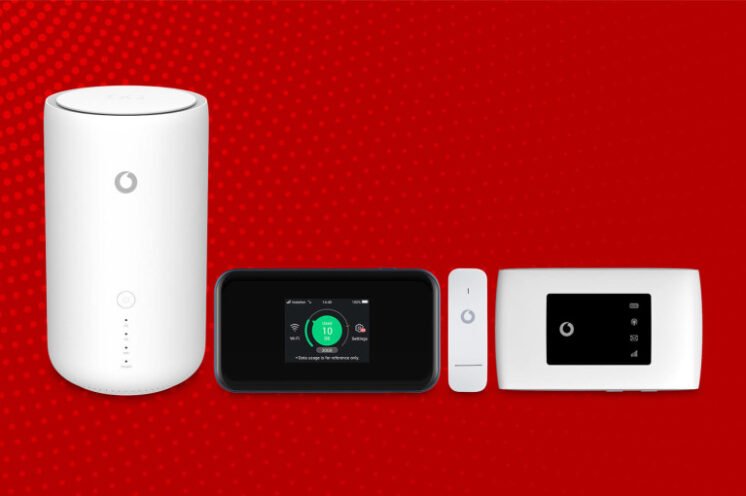
The Vodafone Ghana Mifi is a portable Wi-Fi hotspot that provides users with safe, high-speed mobile internet access from up to five Wi-Fi devices, such as smartphones, tablets, portable game consoles, personal computers, and Android gadgets.
The Mifi may be powered by USB and moved about for optimal signal strength, after which it can be used to provide wireless Internet access to a wide range of devices.
Types of Vodafone MiFi
For those interested, Vodafone offers two distinct MiFi options:
Vodafone Ghana Mifi: Prices Of Vodafone Mifi
At the time of purchase, the 4G Vodafone Mifi costs GHS 277 and comes with a free 6GB of data that can be used over the course of one month. The first purchase of a 3G Vodafone Mifi costs GHS 205 and includes free 6 GB of data for a month.
Benefits Of Using Vodafone MiFi
Mifi provides a steady internet connection, unlike your phone’s hotspot, which might be disrupted by an incoming call, allowing you to work for extended periods of time without losing your progress.
Using a MiFi instead of your phone’s internet connection means you can connect more devices, but your phone’s battery won’t be drained as much as it would be if you turned on a Wi-Fi hotspot, so acquire a MiFi if you want to conserve power.
It can be used anywhere, thanks to the fact that it doesn’t require a USB cord to function. This Mi-Fi is convenient since it allows you to connect your laptop to the internet via wireless networking and USB tethering.
Important Considerations After Purchasing a Vodafone MiFi
Before using your gadget for the first time, make sure it has a full charge. The device has four different indicators: a network light, a Wi-Fi light, an SMS light, and a battery light.
If your MiFi is successfully connected to the network, the indicator light will turn blue; otherwise, it will turn red to indicate that it is attempting to connect to a network.
While the battery is at 100%, it glows blue; when it’s at 50%, it glows red.
Vodafone Ghana Mifi: How To Connect Your Vodafone MiFi To Your PC
- First, activate Wi-Fi on your device, and then navigate to your computer’s network settings
- A Mifi network will appear in the list of available networks.
- Once you’ve located your MiFi’s network ID among the list of accessible networks, pick it to continue.
- At this point, you’ll be prompted to enter your MiFi’s security key, which you’ll find printed on the device’s rear.
- If the security key begins with a capital letter and you put in a lowercase letter, you will receive a message saying that you have entered the incorrect password.
How To Connect Your Vodafone MiFi To Your Phone
The security key can be found on the back of the MiFi and must be entered once you have turned on Wi-Fi and located your MiFi network on your phone.
How To Check Your Vodafone MiFi Balance
You can track how much data you’ve used on the Mifi and even use that to determine how much data is remaining on the device using Vodafone Mifi, albeit doing so requires removing the SIM card and inserting it into a separate phone.
Vodafone Ghana Mifi: How To Bundle On Vodafone MiFi
The Vodafone Mifi has a SIM card, and as was said up top, you’ll get 6GB of free data to use before having to pay for more.
Here Is How To Buy Data on MiFi Using Vodafone Cash
- Dial *110#
- Select 3: Buy Airtime and Bundles
- Now select your preferred bundle
- Enter your PIN
- Confirm payment to enjoy your bundle